
In-Game Chat: Trash Talk, GIFs & Rematches
Quelo has built-in chat so a match doesn’t end when the questions do. Message the person you just played, share your result card and GIFs, talk a little trash, and set up the rematch, all inside the app.
How it works
- 1
Message your opponent
After a battle, open the chat with whoever you played. Real messages, real people: the banter is half the fun.
- 2
Share your result
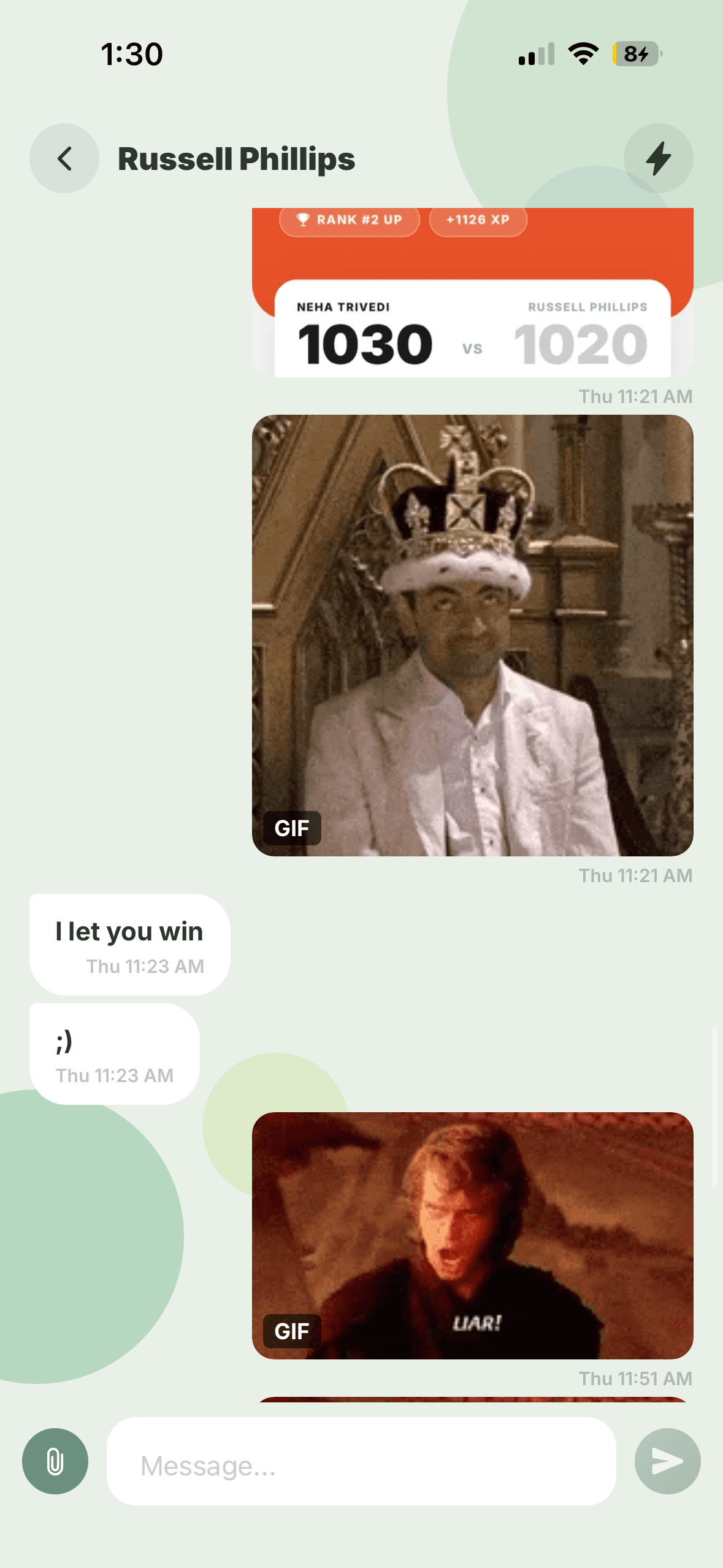
Drop your match result card straight into the chat: the exact score, the XP you earned, the rank you climbed. Nothing says “good game” like the scoreboard.
- 3
Send GIFs
Words aren’t always enough. Quelo chat supports GIFs, so you can celebrate a win or mourn a loss the way group chats were meant to.
- 4
Line up the rematch
Chat is where rivalries live. Agree a rematch, pick the next topic, and settle it: the reason people keep coming back.
- Share results, send GIFs, set up the rematch
Why chat makes trivia better
A quiz app without chat is just you against a scoreboard. Chat turns opponents into rivals and rivals into regulars. The “I let you win ;)” message after a close game is exactly the kind of moment that keeps people playing, and it only happens when you can actually talk.
Frequently asked questions
Can you message people on Quelo?
Yes. Quelo has in-game chat so you can message the opponents you play, share your match results and GIFs, and arrange a rematch.
Can you share your match result in chat?
You can drop your result card (score, XP earned and rank change) straight into a chat, along with GIFs and text.